Application modules
Campaign Module: The Advertising Control Center
The Campaigns section is the nerve center for the management, optimization, and automation of all your business's paid advertising. Its interface is designed to fully adapt to your Knowledge Mode (Guided or Expert) and your Usage Mode (Manual or Total Delegation).
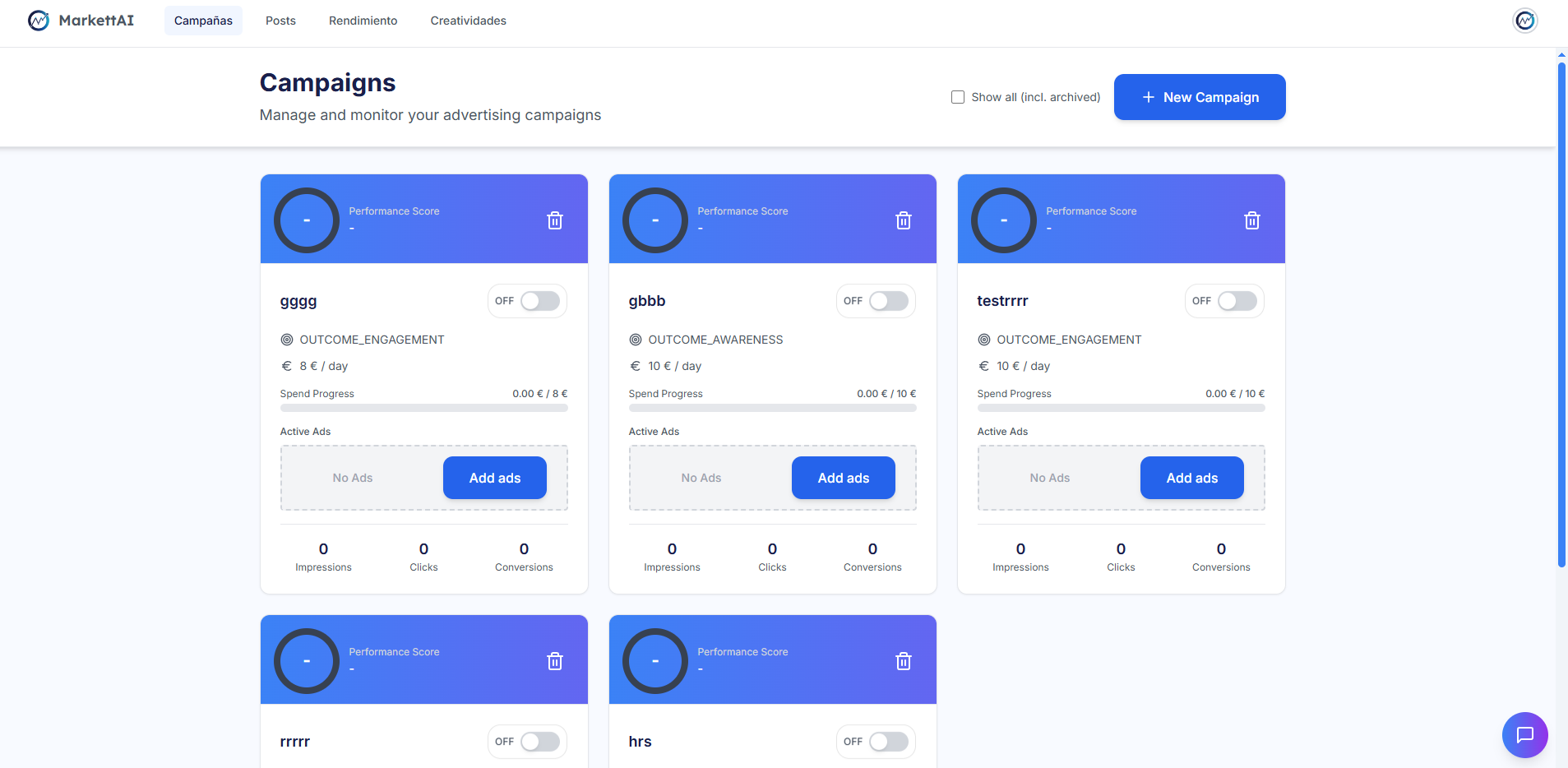
Main View: The Campaign List 📈
The main view is a table (or grid) that lists all your active campaigns.
- Essential Information: Displays the status, name, budget, key metrics (clicks, impressions, cost), and an individual Performance Score for each campaign.
- Filters: Allows filtering campaigns by status, dates, and other parameters.
- Click Action: Clicking on a campaign opens a detailed view for the review and editing of its ad groups (Adsets) and ads (Ads).
Adaptation by Knowledge Mode (Guided vs. Expert) 🧠
The information you see in the campaign table is adjusted to avoid overwhelming you with unnecessary details:
- Guided Mode: The table is simpler, showing only essential metrics to maintain clarity and focus on action.
- Expert Mode: Displays more detailed information and advanced metrics (e.g., ROAS, CPA, etc.) for comprehensive analysis.
Adaptation by Usage Mode (Total Delegation) 👑
Total Delegation directly affects the management behavior within this view. Instead of you executing the actions, the AI takes operational control:
- The AI can perform automatic actions such as pausing campaigns, modifying budgets, or changing audiences without requiring manual intervention.
- The Insights in the Performance section transform to show these actions executed by the AI (e.g., "The AI paused campaign X").