Application modules
Post Automation Flow (AI): Organic Content Delegation
The Post Automation Flow is initiated from the "Automate Posts (AI)" button and allows the user to delegate the planning and generation of multiple organic contents to the Artificial Intelligence within a defined timeframe.
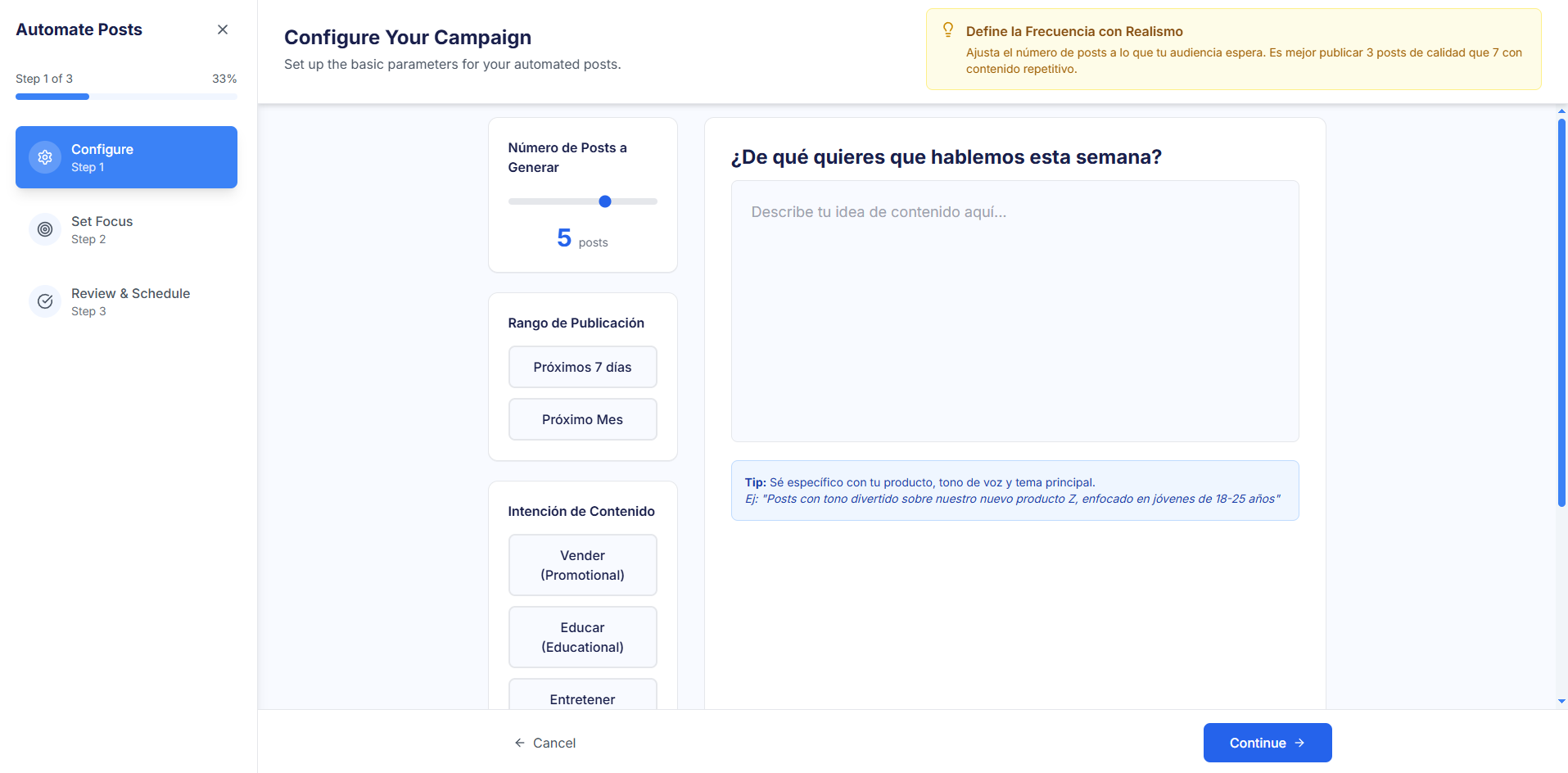
Step 1: ⚙️ Configure (Configure Your Campaign)
This step establishes the base parameters for automation.
- Number of Posts to Generate: Defines how many posts the user wants the AI to schedule.
- Publication Range: The time period in which the posts will be distributed is defined (e.g., "Next 7 days", "Next Month").
- Content Intention: The thematic purpose is chosen (e.g., "Sell (Promotional)", "Educate (Educational)", "Entertain").
- Prompt for the AI: A text field where the user specifies the specific topic, tone, or intention of the posts.
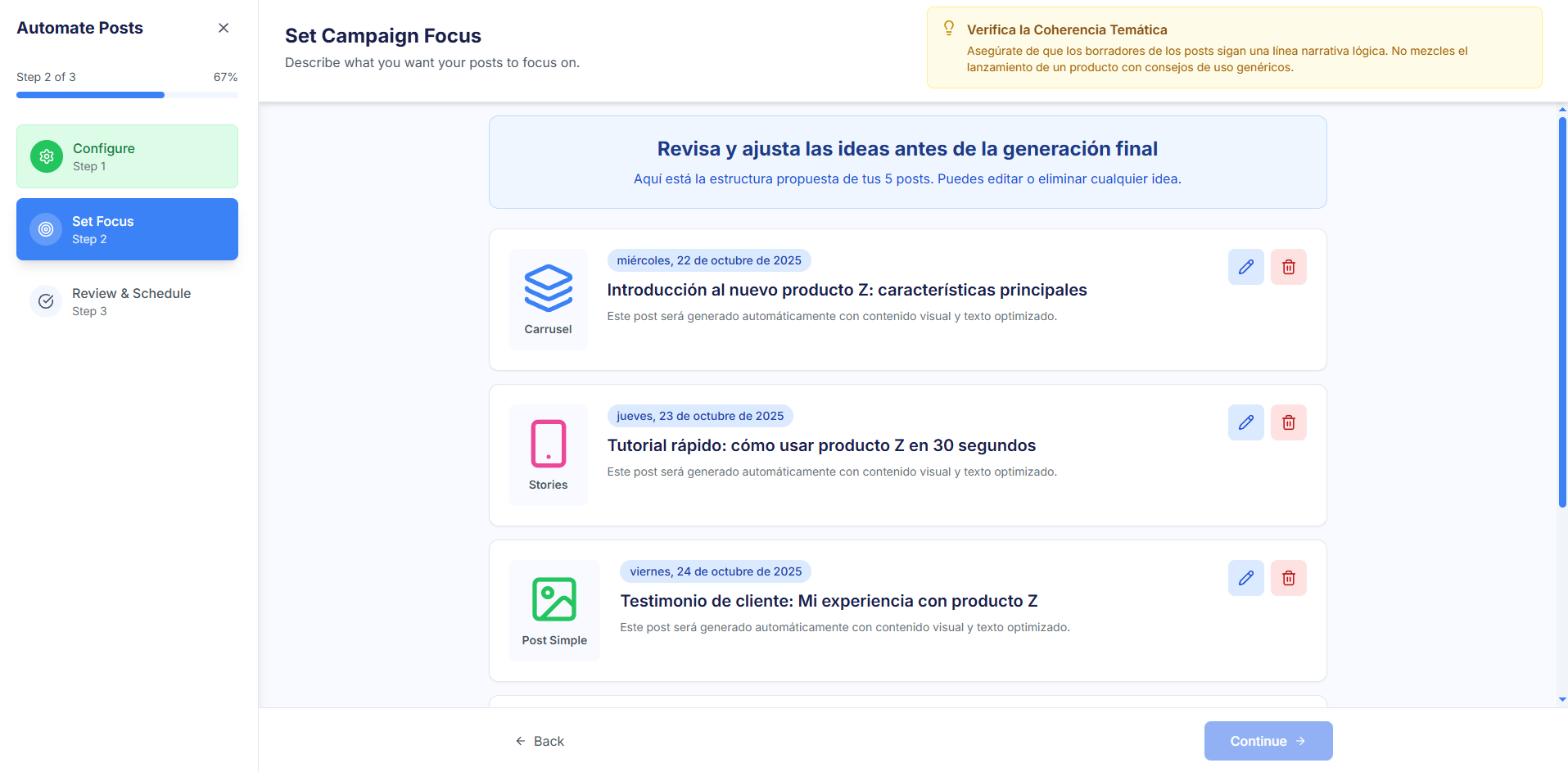
Step 2: 🧠 Adjust Posts (Set Campaign Focus)
The AI presents an initial content proposal for the user's review and approval before the final generation.
- Idea Draft: The AI generates a list of drafts that includes the proposed Date and Time , the suggested Format (Carousel, Stories, Simple Post), and a concise Content Idea.
- Draft Management: The user can review, edit the content idea or format, or delete the drafts that are not suitable.
- Important Note: In this step, the AI has only generated the idea and structure; the final images, videos, or texts have not yet been created.
Step 3: ✅ Final Review and Scheduling (Review & Schedule)
In the final step, the AI generates the complete multimedia and textual content.
- Content Generation: The AI uses the adjusted ideas from Step 2 to automatically generate the images, videos, and texts for each of the posts.
- Final Preview: The user can view and review the finalized posts, including the design and the definitive caption.
- Save and Schedule: Upon acceptance, the posts are automatically scheduled in the Content Calendar for the dates chosen in Step 1.